Seamless AV-over-IP with Netgear and Lightware
High-performance switches pre-configured for effortless setup, seamless integration, and reliable performance.
Seamless AV-over-IP with Netgear and Lightware
High-performance switches pre-configured for effortless setup, seamless integration, and reliable performance.
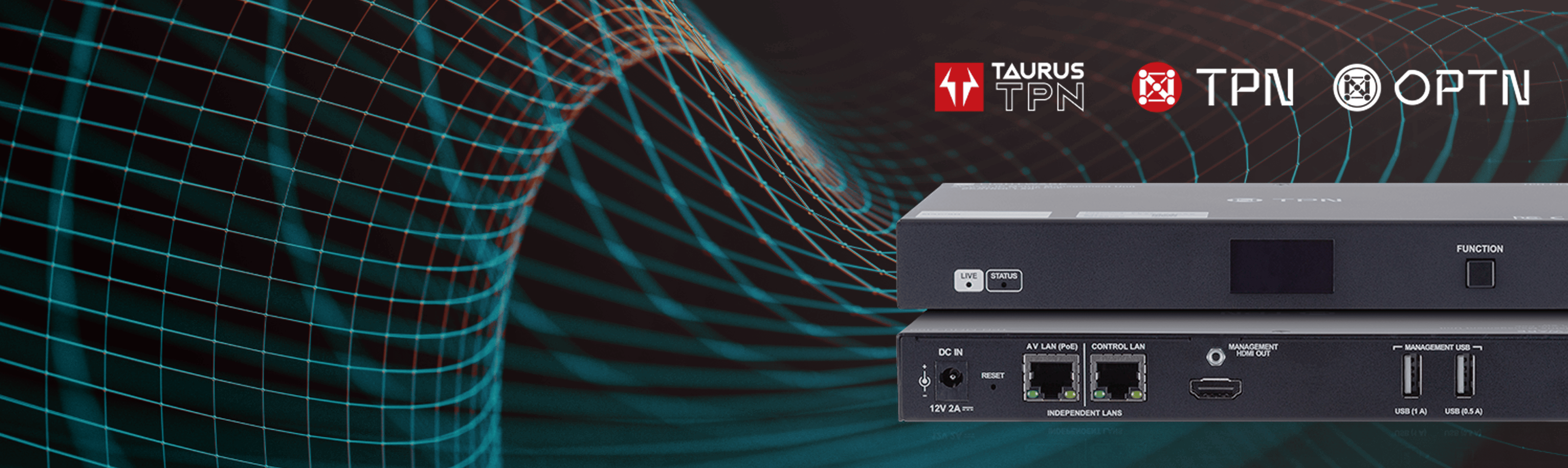
Reaching New Heights with Taurus TPN
In response to growing demand from various markets for a networked USB-C-based solution to complement the popular Taurus produc family, here is the Taurus TPN
Reaching New Heights with Taurus TPN
In response to growing demand from various markets for a networked USB-C-based solution to complement the popular Taurus product family, here is the Taurus TPN
Specification Table
| Interface | Connectors | 2 × USB Type-C male |
| Technical parameters | Maximum data speed | 20 Gbps (10 Gbps/lane) |
| Data type | USB 3.2 Gen 2×2, USB 2.0, USB 1.1 | |
| eMarker chip | Yes | |
| Displayport alternate mode | Yes, HBR3, 2–4 lane | |
| Video format | Up to 4096×2160@75Hz at RGB 4:4:4 and 5120×2160@60Hz at RGB 4:4:4 | |
| Number of USB3 tier | 0 | |
| Number of USB2 tier | 0 | |
| Rated voltage | 20 V | |
| Rated current | 5 A | |
| Operating temperature | –10 °C to +60 °C | |
| Flammability | TBD |
| Physical parameters | Length | 1 m |
| Cable diameter | 4.8 mm | |
| Jacket material | PVC | |
| Wire material | Copper, 32 AWG | |
| Mold material | PVC | |
| Pin coating | Gold-plated | |
| Bending radius | 19.2 mm | |
| Pulling force | 4 kg | |
| Compliance | RoHS, REACH (EC 1907/2006) | |
| Color | Black |


MMU Highlights
Endpoint Scalability
Effortlessly manage large deployments without external licenses or controllers test
Auto Discovery
Instantly detects all connected endpoints – no manual setup required.
Unified Web Interface
Configure IPs, manage EDID, push firmware and control endpoints – all from a either a browser-based UI or Lightware Device Controller
Separated network interface
Allows AV signal and control traffic to run on independent network paths for better segmentation
Multi-Layer Crosspoint Control
Independent crosspoint switches for AV streams, peripheries, cameras and other USB devices through a central interface (Coming soon)
Secure access management
Password-protected access to the MMU for secure system control and protection from unauthorized changes
Advanced UI
Display stream names and preview in expert view
Tailored AV solutions for corporate spaces
Click here to explore examples and system schematics that showcase what our technology can do.
Taurus UCX
The USB-C Extension of the Future
We encourage you to reach out to us to discuss your projects and ideas. We will respond within two business days.
Taurus Dual Screen Extended Desktop

Lorem ipsum dolor
Our solutions
We encourage you to reach out to us to discuss your projects and ideas. We will respond within two business days.
Taurus UCX HC40
We encourage you to reach out to us to discuss your projects and ideas. We will respond within two business days.
AV-OVER-IP Level I
We encourage you to reach out to us to discuss your projects and ideas. We will respond within two business days.
Lightware China Shines with Specta-cular Roadshows
We encourage you to reach out to us to discuss your projects and ideas. We will respond within two business days.
Learn more about our solutions and the challenges we solved
We encourage you to reach out to us to discuss your projects and ideas. We will respond within two business days.
Their Mission
Exploiter les possibilités de la connectivité USB.
Le produit utilise la connectivité USB-C pour simplifier la transmission de la vidéo 4K, de l’audio, et signal de contrôle et de l’alimentation. Il permet un transfert des données allant jusqu’à 5Gbps dans le cadre de la norme USB 3.1 Gen1. Il prend aussi en charge une résolution vidéo allant jusqu’à 4K@60Hz at 4:4:4. Les utilisateurs qui connectent leurs ordinateurs portables ou autres appareils mobiles par l’USB-C peuvent aussi bénéficier de la charge allant jusqu’à 100W (120W total). Il n’est donc plus nécessaire de chercher une prise secteur, pour recharger son ordinateur, ce qui évite aussi les interruptions soudaines pendant les réunions.


We are Lightware
At Lightware, our commitment to excellence extends beyond mere products; it encompasses a comprehensive understanding of our solutions and their practical applications. That's why we're continuously establishing experience and training centers worldwide.
Test section title 6
This is an example section description for anyone to check
3 news items
almafa
desc
|
Device |
Optical Connectors |
Power Inlet |
Ethernet |
HDMI Ports |
Serial port |
USB |
|
HDMI20-OPTC-TX/RX220-Pro |
1x Neutrik OpticalCON DUO |
IEC 60320-C14 |
2x EtherCON for Gigabit Ethernet (control & pass-through) |
TX: 2x HDMI 2.0 input (18G) and 1x HDMI 2.0 output (18G) RX: 2x HDMI 2.0 output (18G) and 1x HDMI 2.0 output (9G) |
D-SUB 9 male (DE-9M) for RS-232 (control or pass-through) |
Mini USB B |
|
HDMI20-OPTC-TX/RX220-NTQ |
1x Neutrik OpticalCON Quad |
|||||
|
HDMI20-OPTC-TX/RX220-FOX |
1x Fiberfox |
|||||
|
HDMI20-OPTC-TX/RX220-PCN |
1x Neutrik OpticalCON DUO |
Neutrik Powercon True1 |
Taurus Smart Docks
A professional 2-in-1 solution for huddle rooms
With Taurus Smart Dock you can connect your laptop and use the room assets like all the USB peripherals. Hosting meetings on any platform has never been this effortless. With the Taurus Smart Dock, you won’t accidentally leave the device powered on, as unplugging the cable automatically puts the meeting room to sleep.


Explore Our ISE Booth
Step inside Lightware's booth at ISE 2025 through a virtual tour. Discover our latest product lines and immerse yourself in engaging demos presented in both English and Chinese.

2 Taurus Smart Docks
A professional 2-in-1 solution for huddle rooms
With Taurus Smart Dock you can connect your laptop and use the room assets like all the USB peripherals. Hosting meetings on any platform has never been this effortless. With the Taurus Smart Dock, you won’t accidentally leave the device powered on, as unplugging the cable automatically puts the meeting room to sleep.
1 Application Diagrams
Subtitle
Application diagrams are visual representations that map out the structure, components, and interactions within a software application. They help developers, architects, and stakeholders understand how an application works, how its parts connect, and how data flows through the system.
These diagrams can show various levels of detail, from high-level overviews to specific technical workflows.

Cable-PopUp
Cable-PopUp

Cable-PopUp light

Cable-PopUp dark

Someone enters the room
Explore the Netgear Trainings
Learn everything you need to integrate Netgear into your Lightware system.


UCX 2x1 HC40 MTRoA Poly
Line Diagram
Powered by the Taurus product family, it augments the Microsoft Teams Rooms experience by allowing users to effortlessly integrate their personal laptops with the room’s meeting system. This enables flexible content sharing together with access to lighting, projector and shade controls from a single control panel.
if
- Occupancy sensor signals
then
- Lights turn ON
if
- USB-C signal present
then
- Projector lift DOWN
- Roll screen DOWN
- Turn projector ON
- Front lights OFF
if
- USB-C signal not present
then
- Mute projector
- Turn lights back ON
if
- Shut down button pressed
or
- Shut down button pressed
then
- Lights turn OFF
if
- Occupancy sensor signals
then
- Lights turn ON
if
- USB-C signal present
then
- Projector lift DOWN
- Roll screen DOWN
- Turn projector ON
- Front lights OFF
if
- USB-C signal not present
then
- Mute projector
- Turn lights back ON
if
- Shut down button pressed
or
- Shut down button pressed
then
- Lights turn OFF